Install
npm install -g deptrace-cli
Installs the deptrace command. Or run it once with
npx deptrace-cli.
- Version
- 0.5.0
- License
- MIT
- Package
- npm
DepTrace reads the imports of a TypeScript or JavaScript repository, checks them against the architecture rules you write, and shows every dependency, cycle and violation in a dashboard on your own machine. It never runs your code.
npm install -g deptrace-cli
Installs the deptrace command. Or run it once with
npx deptrace-cli.
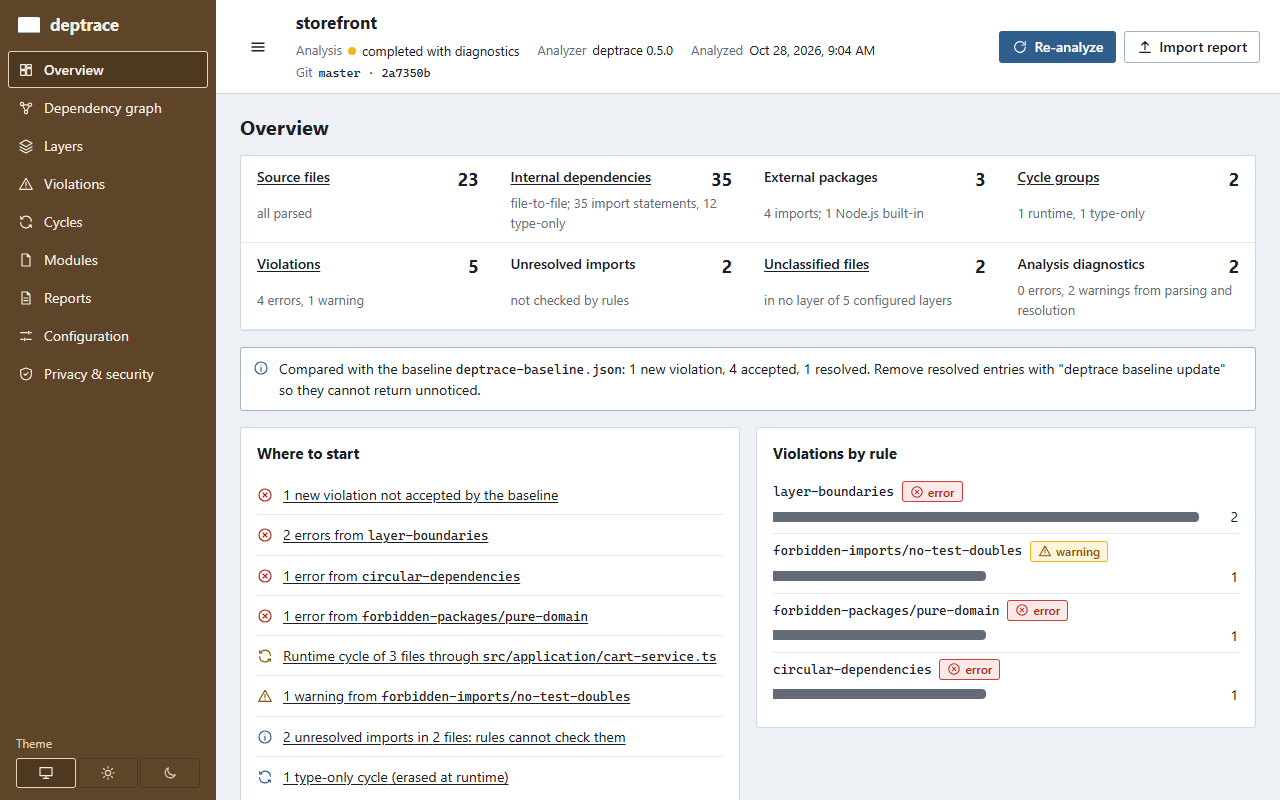
tests/fixtures/storefront
Put deptrace.yml in the repository, name your layers with globs, and
choose the rules. deptrace check exits with code 3 when a rule is broken,
so CI fails on the pull request that broke it.
layer-boundaries |
Each layer may import only the layers you allow. |
|---|---|
forbidden-imports |
Files matching one glob must not import files matching another. |
forbidden-packages |
Keep frameworks and Node.js APIs out of the code that should not use them. |
module-boundaries |
Feature modules use each other only through their public files. |
circular-dependencies |
No group of files may import itself, optionally ignoring type-only imports. |
layers:
  - name: ui
    files: ["src/ui/**"]
  - name: application
    files: ["src/application/**"]
  - name: domain
    files: ["src/domain/**"]

rules:
  layer-boundaries:
    severity: error
    allowed:
      ui: [application, shared]
      application: [domain, shared]
      domain: [shared]

  circular-dependencies:
    severity: error
    ignore-type-only: true
deptrace dashboard serves the analysis to your browser from
127.0.0.1. Every number comes from the analysis, and every finding opens to
the rule, the import statement and its line.
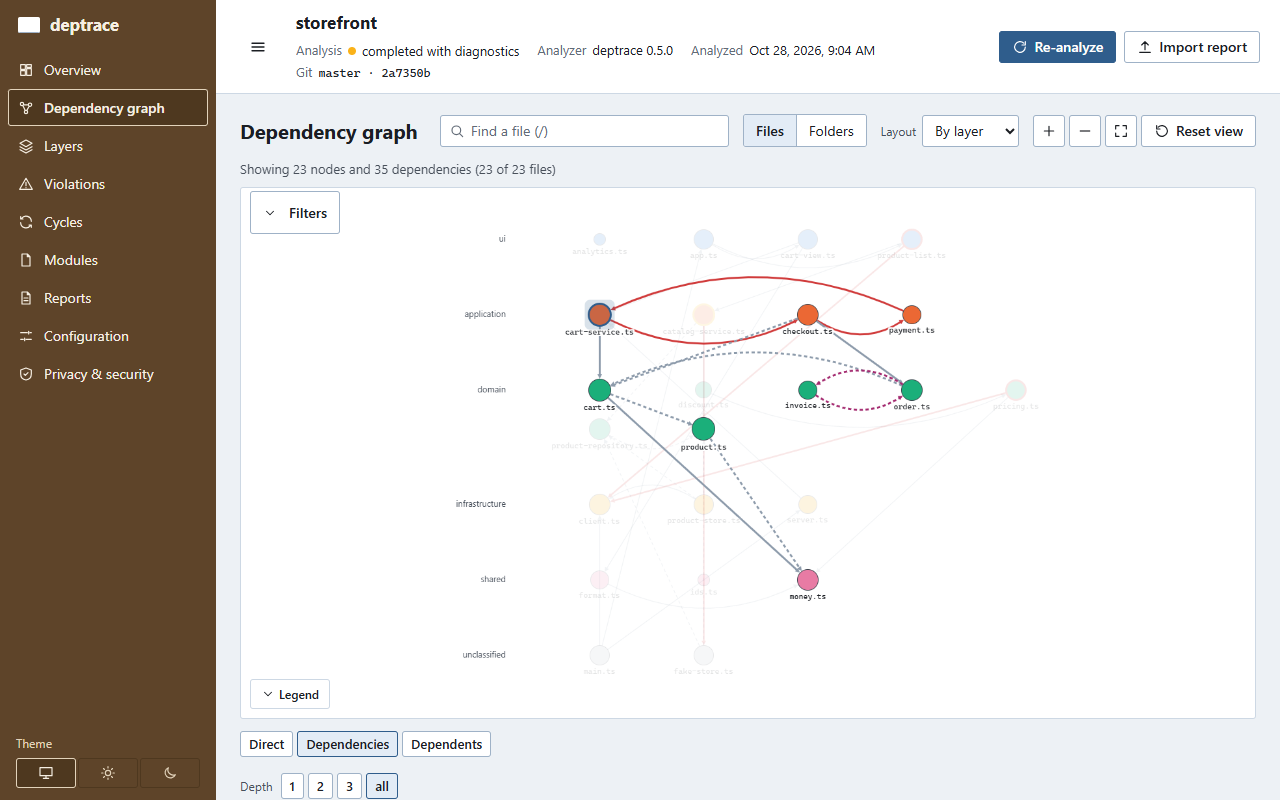
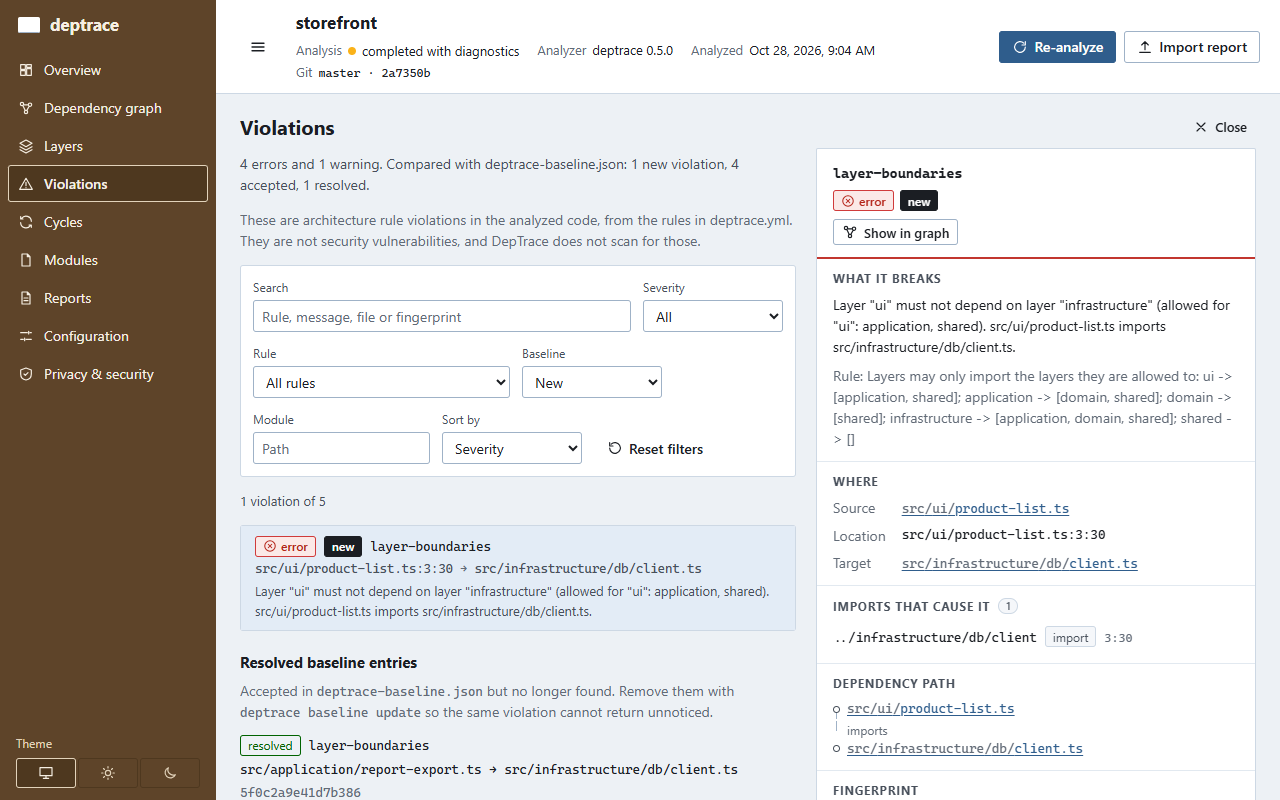
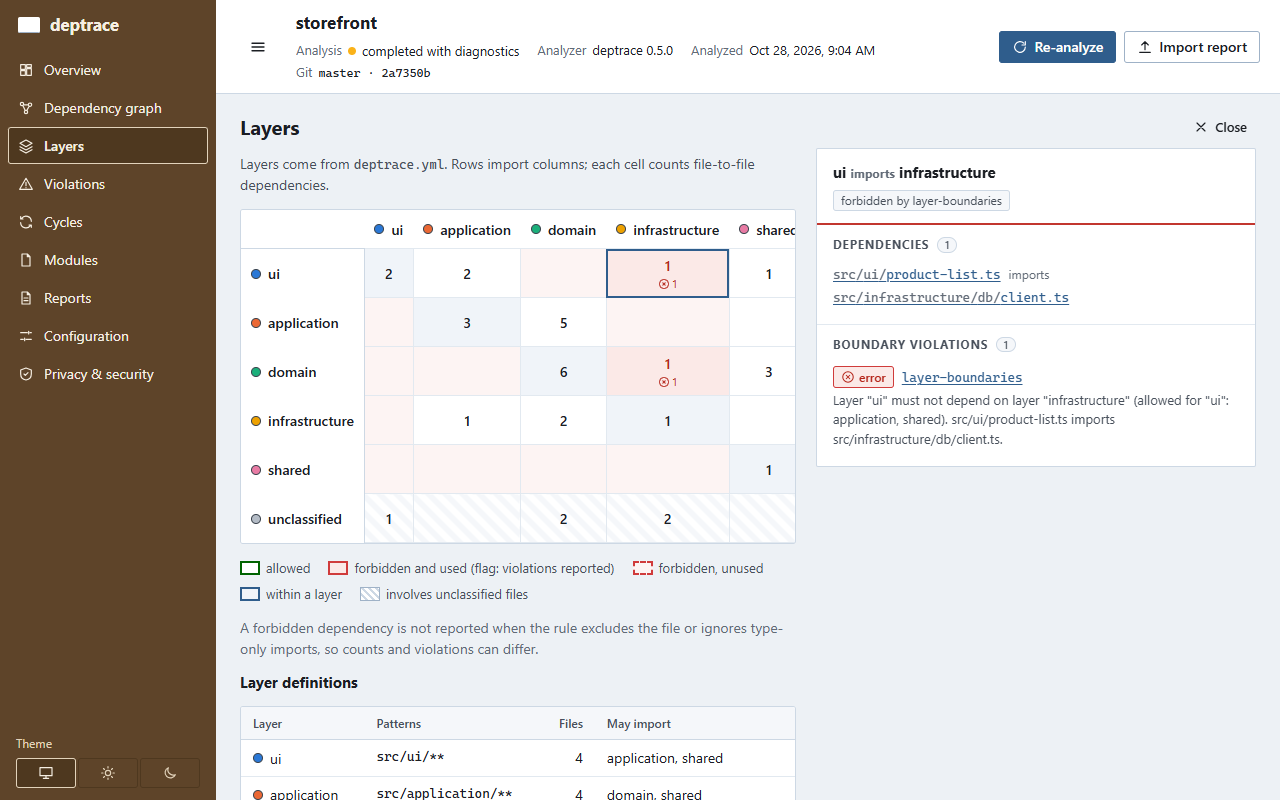

deptrace baseline create; the check then fails only on new ones.
deptrace check --baseline deptrace-baseline.json on the sample project
(excerpt)
Violations: 4 errors, 1 warning
  error   existing  src/application/cart-service.ts:2:26  [circular-dependencies]
  warning existing  src/application/catalog-service.ts:4:27  [forbidden-imports/no-test-doubles]
  error   existing  src/domain/pricing.ts:2:30  [forbidden-packages/pure-domain]
  error   existing  src/domain/pricing.ts:3:30  [layer-boundaries]
  error   new       src/ui/product-list.ts:3:30  [layer-boundaries]
          Layer "ui" must not depend on layer "infrastructure" (allowed for "ui": application, shared).

Baseline: deptrace-baseline.json (1 new, 4 existing, 1 resolved)
error: Architecture check failed: 1 new failing violation (4 existing violations accepted by the baseline).npm install -g deptrace-clideptrace init
Writes a starter deptrace.yml; add your layers and rules (rule guide).
deptrace checkExit code 0 when the rules hold, 3 when they are broken.
deptrace dashboardOpen the printed address; press Ctrl+C to stop.
DepTrace parses files with the TypeScript compiler and never executes them. The CLI makes no network requests, and the dashboard only talks to its local server. There is no telemetry and no account. Reports contain repository-relative paths only.